
Shoot the Target
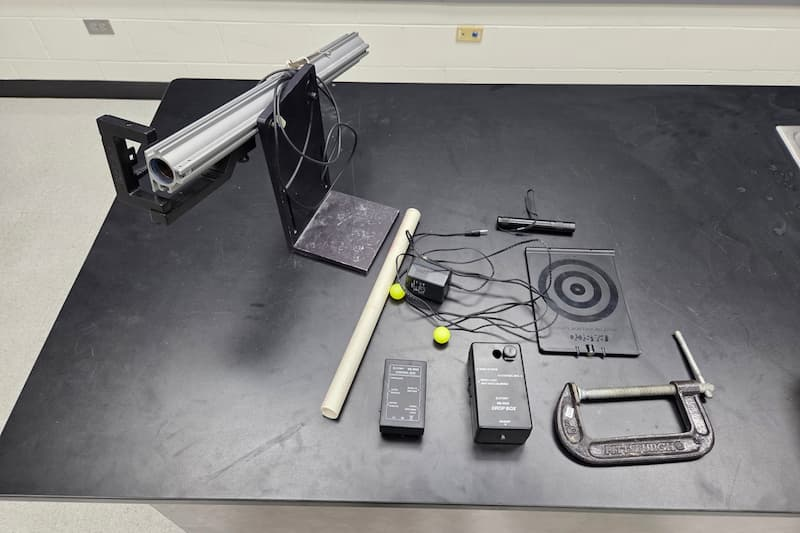
PIRA: 1D60.34
Overview:
Gravity acts on everything equally. This includes objects in motion. If there was no gravity when you shoot a gun, then the bullet will make a straight line in the direction it was fired. Under gravity, the bullet will drop from that straight line at the same rate that a stationary object would. We can demonstrate this by aiming our cannon directly at a plate that will drop at the exact moment that the ball leaves the barrel of the cannon. Since they are both experiencing the same force at the same time, the ball will still hit the plate.
Materials:
Shoot the target control box, power cable, large cannon, magnetic target and drop box, ball sensor photogate (should be mounted on cannon), balls, clamp, laser, string, cannon loader (PVC pipe), ethernet cable (should be on ceiling), and a foam pad
Setup:
Take the drop box and secure it to an eye bolt on the ceiling with rope. You may have to twist the eye bolt a little in order to get the target to be normal to the ball’s velocity. Plug in the cable that is mounted on the ceiling. The target will not stay on the drop box unless the system is powered and turned on. Place the foam pad underneath the dropper.
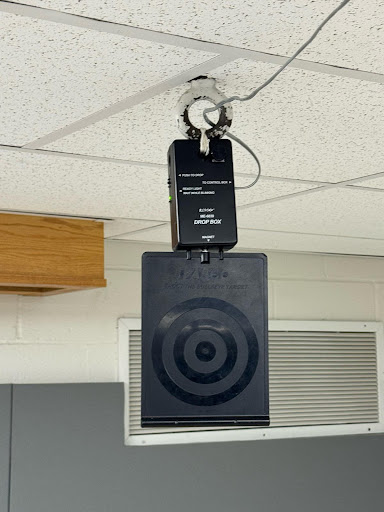
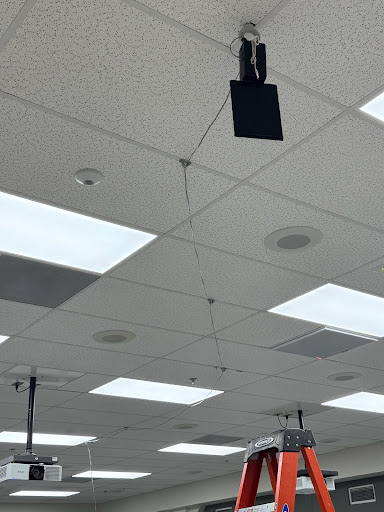
Put the cannon on the fourth table from the front on the opposite side of the room from the target. Secure the cannon with a table clamp. Make sure that the photogate has enough space between the sensor and the end of the barrel to not trip the photogate with the cannon. Plug in the control box to the photogate, power, and cable that is on the ceiling. Turn on the control box.
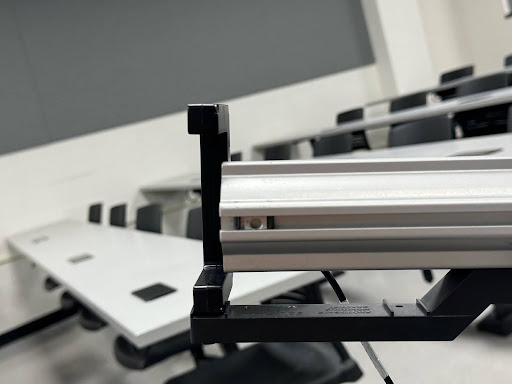
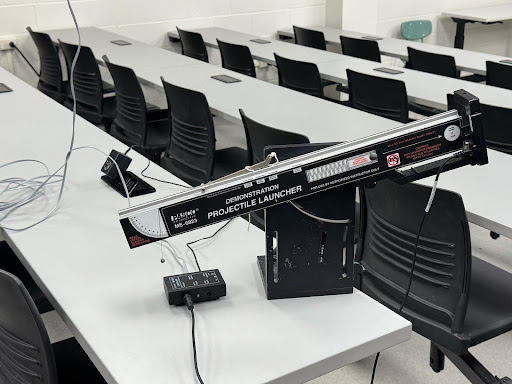
Set the control box to “inactive”. Place the target on the drop box. The electromagnet is very weak, so it may take some patients to place the target on the drop box. Place the laser pointer flat on the cannon and use it to align the cannon with the target. The laser point should be on the target. Use the cannon loader to push the spring inside the cannon to either the farthest or second farthest setting. Place the ball inside the cannon. Set the drop box to “active”. Pull the string on the cannon to fire it. Repeat this process until the cannon is aligned and reliably hits the target. Once that is done, then set the control box to “inactive” and place the target on the drop box. DO NOT LOAD CANNON, as it can and will fire on its own.
How to:
Make sure there are no students in the firing line of the cannon, this can be determined at setup. Load the cannon to the desired setting, and place the ball into the cannon. Use the laser pointer to show students that the cannon is aimed directly at the target. Set the interface to “active”. Make sure there is no one in the way, and fire the cannon.
Safety:
Keep the cannon unloaded until you are ready to fire it. Do not fire the cannon at any person.